
- Published on
- ·6 min read
I Spent $100 on Apple Ads. Here's What I Got.
- Authors

- Name
- Bert / DOTUNE
- Developer
Apple gives you $100 in ad credit. When you enable Apple Ads in App Store Connect, every new account gets it. Free money — of course I threw it all in to see what it actually buys.
The results were more complex than I expected. Bid settings, regional allocation, search term traps — each lever changed the outcome significantly. Some tweaks flipped the numbers entirely.
Did it take off? Or did the money vanish? Let's get into it.
Setup — From Zero to Live Campaign
Campaign setup isn't complicated, but you make several upfront decisions.
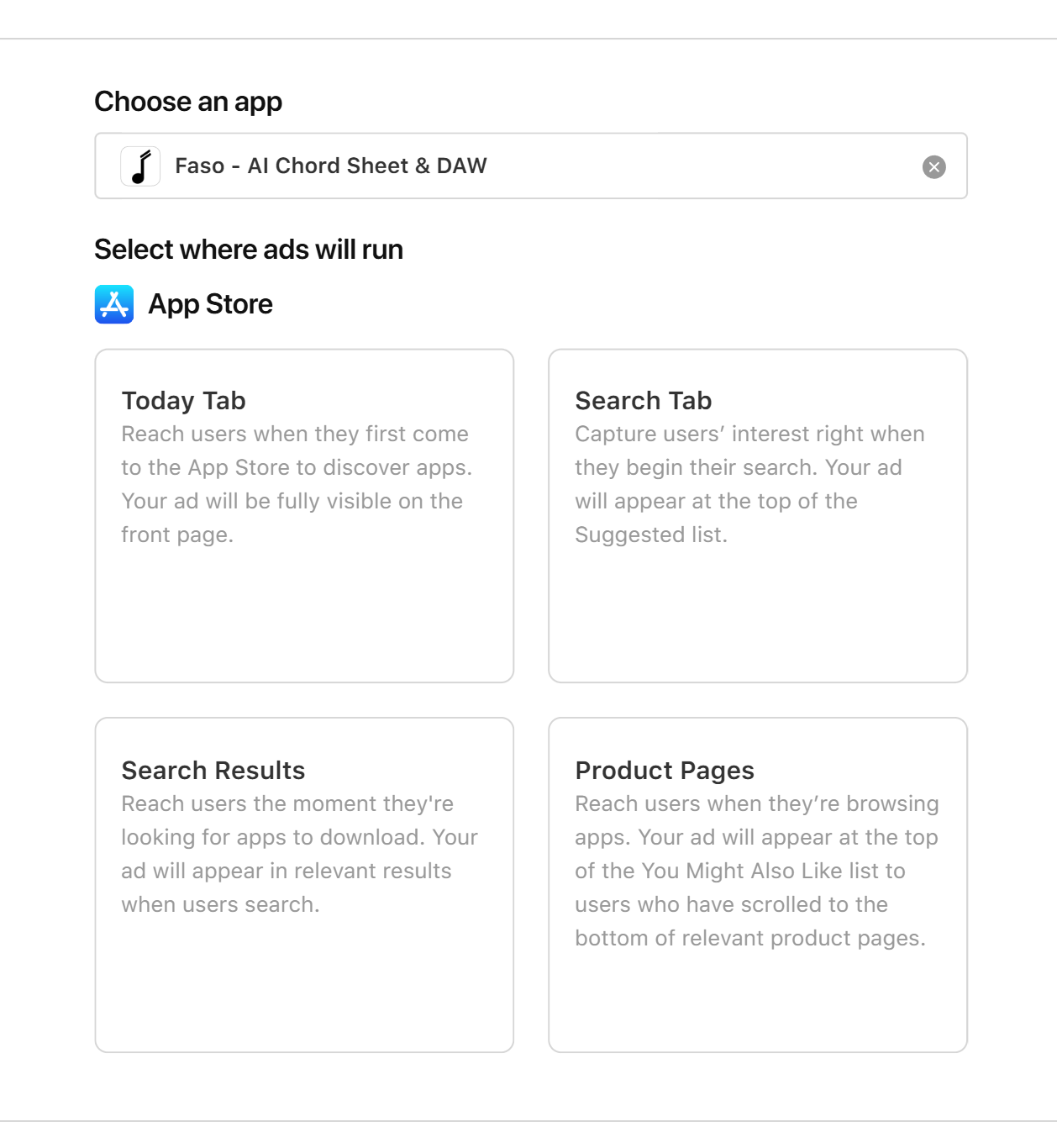
First, ad type. Apple Ads offers two main options: Search Results (keyword ads at the top of search results) and the Today tab (featured cards on the front page). I went with Search Results — users actively searching a keyword and seeing your app at the top has the strongest intent and usually the highest conversion. The Today tab is good for brand exposure, but I didn't touch it this round.
For keyword strategy, I ran both exact match and broad match simultaneously — I wanted to see which terms actually drove results and which just burned budget. I used the CPA goal bidding strategy and let Apple's algorithm optimize.
For regions, I lumped several target countries into a single campaign with one uniform bid. At the time, this seemed like the simplest approach. I'd later discover just how dumb this decision was.
Set a daily cap so the $100 wouldn't drain in three days. Then hit start.
The First Three Days — Money Wouldn't Spend
Three days later, I opened the dashboard: almost nothing had run.
Near-zero impressions. Single-digit taps. Zero downloads. The reason was simple: my bid was way too low.
My initial mindset was "start conservative, inch it up, stretch the budget." I set a bid far below Apple's suggested amount. Result: the money couldn't spend — the bid was too low to even enter the auction.
I cranked it up to Apple's recommended level. A day later, the ads started moving.
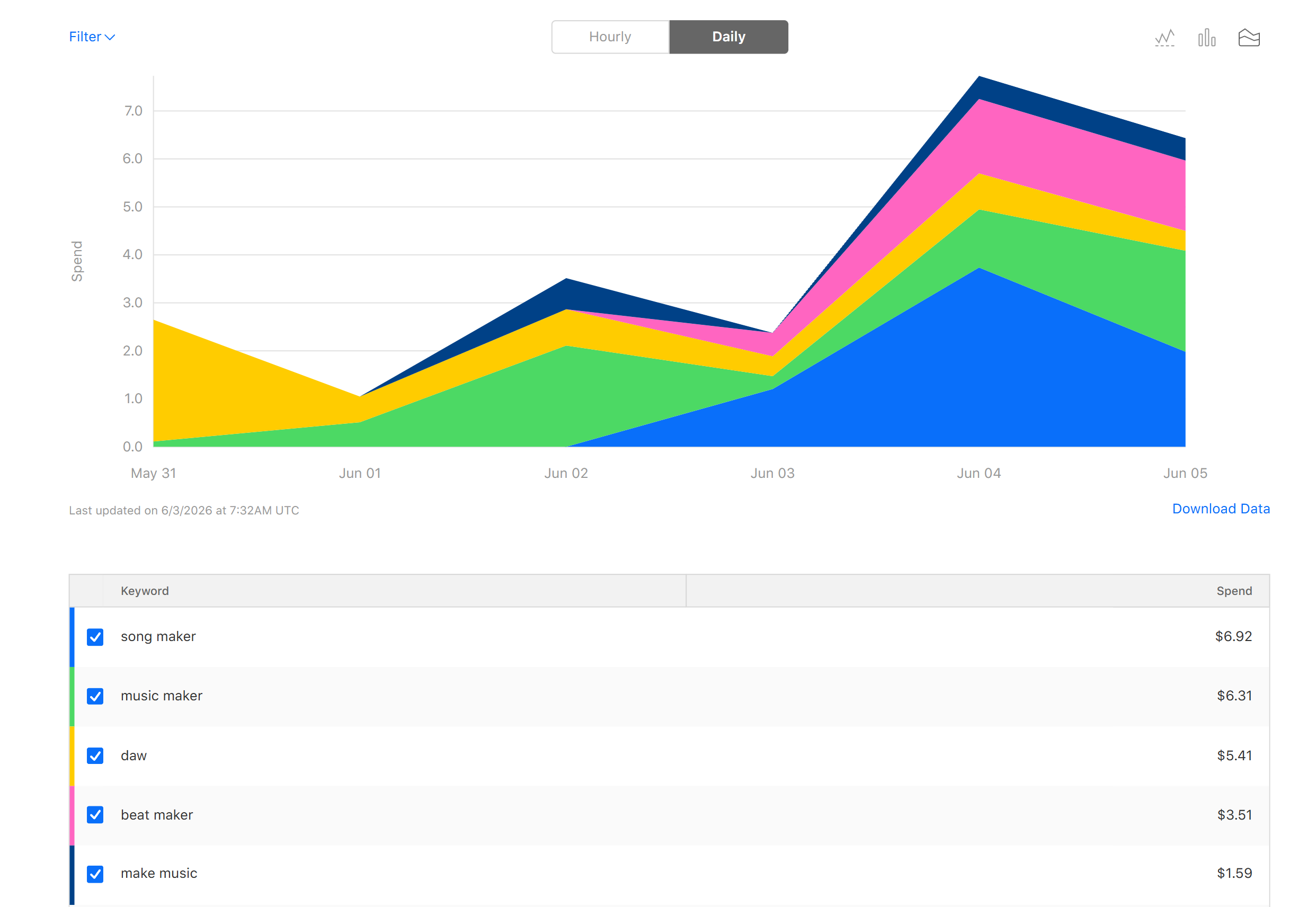
Here's the first thing I learned: your bid is not what you actually pay. You set a ceiling, but Apple uses a second-price auction — you only pay slightly more than the bidder below you, not your max. So if you really want a keyword, bid aggressively. Unless someone is deliberately gaming your price (rare on the App Store), you won't burn extra money. A lot of developers don't know this — they assume a $3 bid means $3 per tap. It doesn't. Apple's official docs are here, and Cornell has a good analysis here.
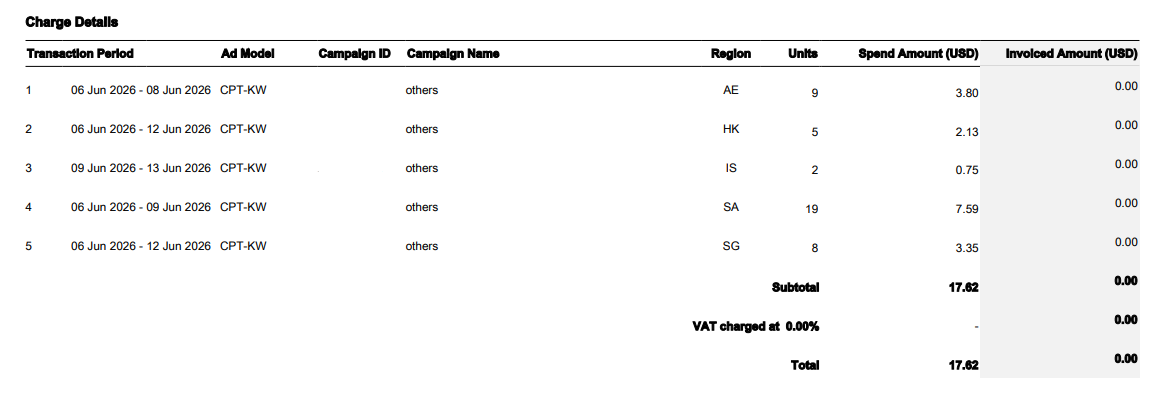
With the bid raised, the ads finally started running. And the billing started coming in. Apple Ads bills per region separately — your US ad spend and your India ad spend are deducted independently. This matters, because it leads directly to the biggest mistake I made.
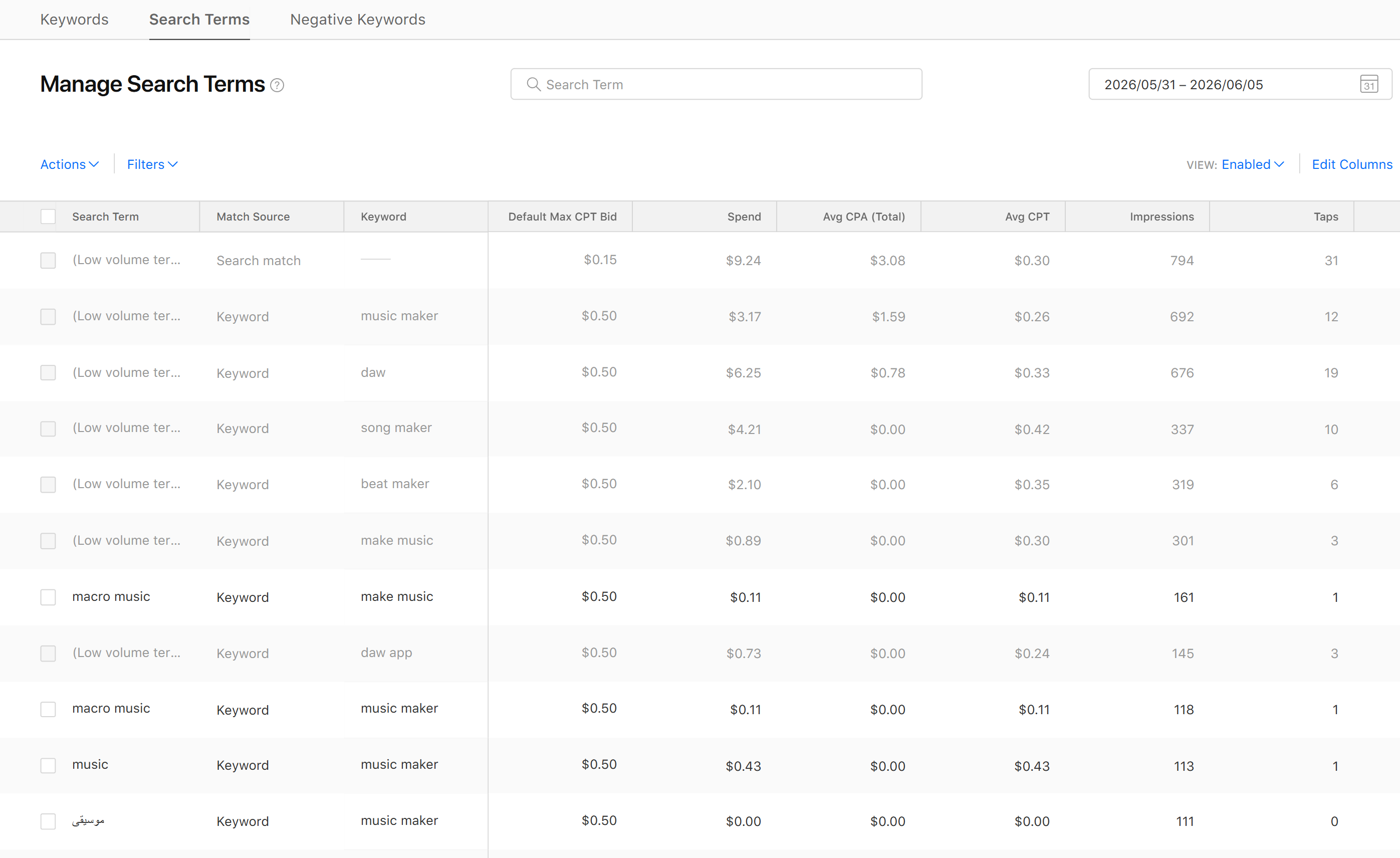
Once volume picked up, I opened the search terms report — and found a pile of completely irrelevant search queries being triggered. Broad match means Apple's algorithm surfaces searches it "thinks are related" but actually have nothing to do with your app. Your finance tracker gets matched to "free game" and "photo editor."
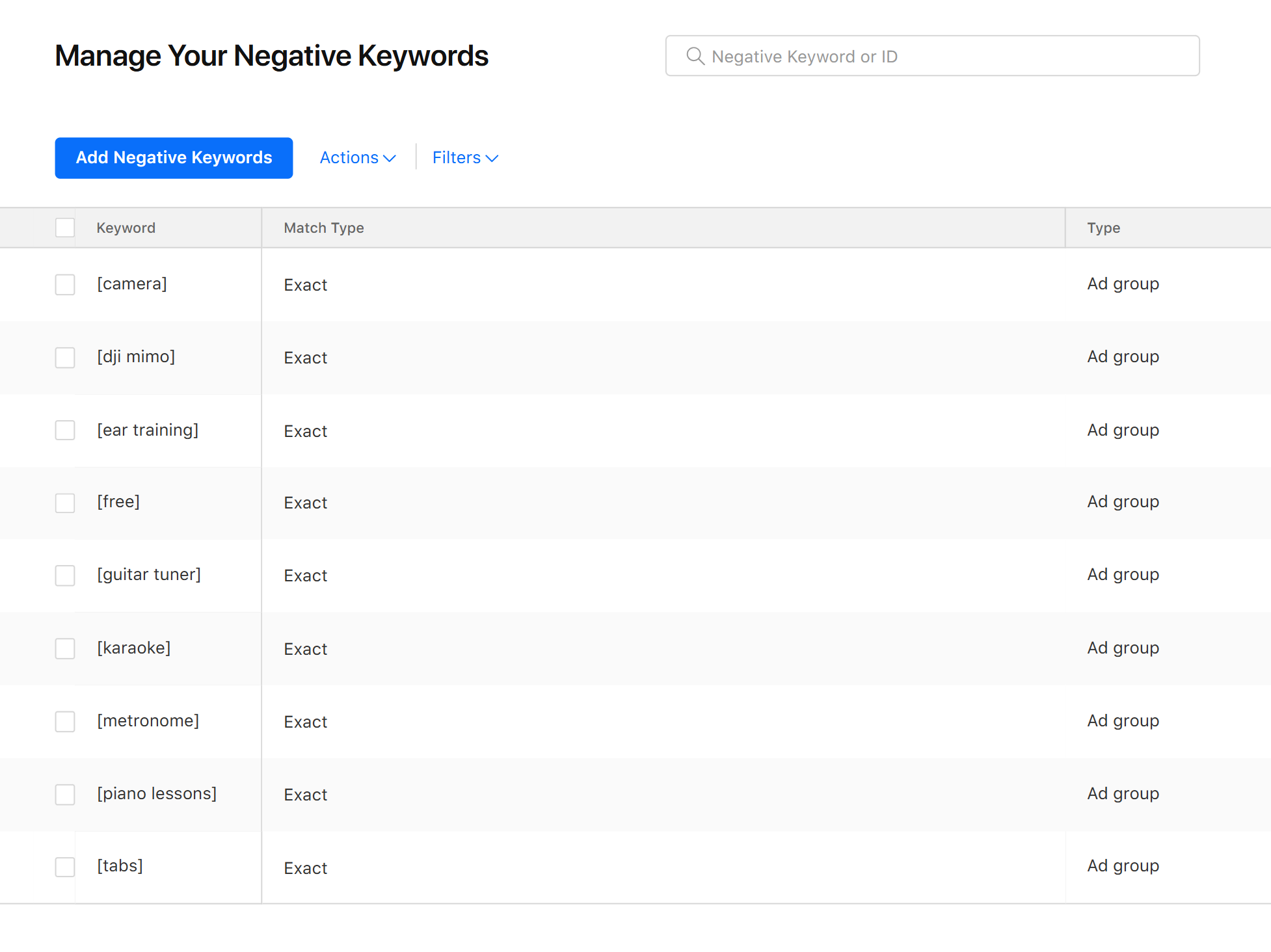
The fix: negative keywords. Apple Ads lets you blacklist terms. I built an entire table of every irrelevant search term and excluded them one by one. This step is critical — if you skip it, your money is being tapped away by people who will never download.
After One Week — Where Did the Money Actually Go?
The ads were running. But when I checked the analytics, downloads were concentrated in specific regions — and not the ones I was targeting.
The problem traced back to my initial region setup. By putting multiple countries in one campaign with a single bid, Apple's algorithm allocated the vast majority of impressions to the lowest-CPI markets — countries with cheap installs but low willingness to pay. The money was spending, downloads were coming in, but I wasn't reaching the users I actually wanted.
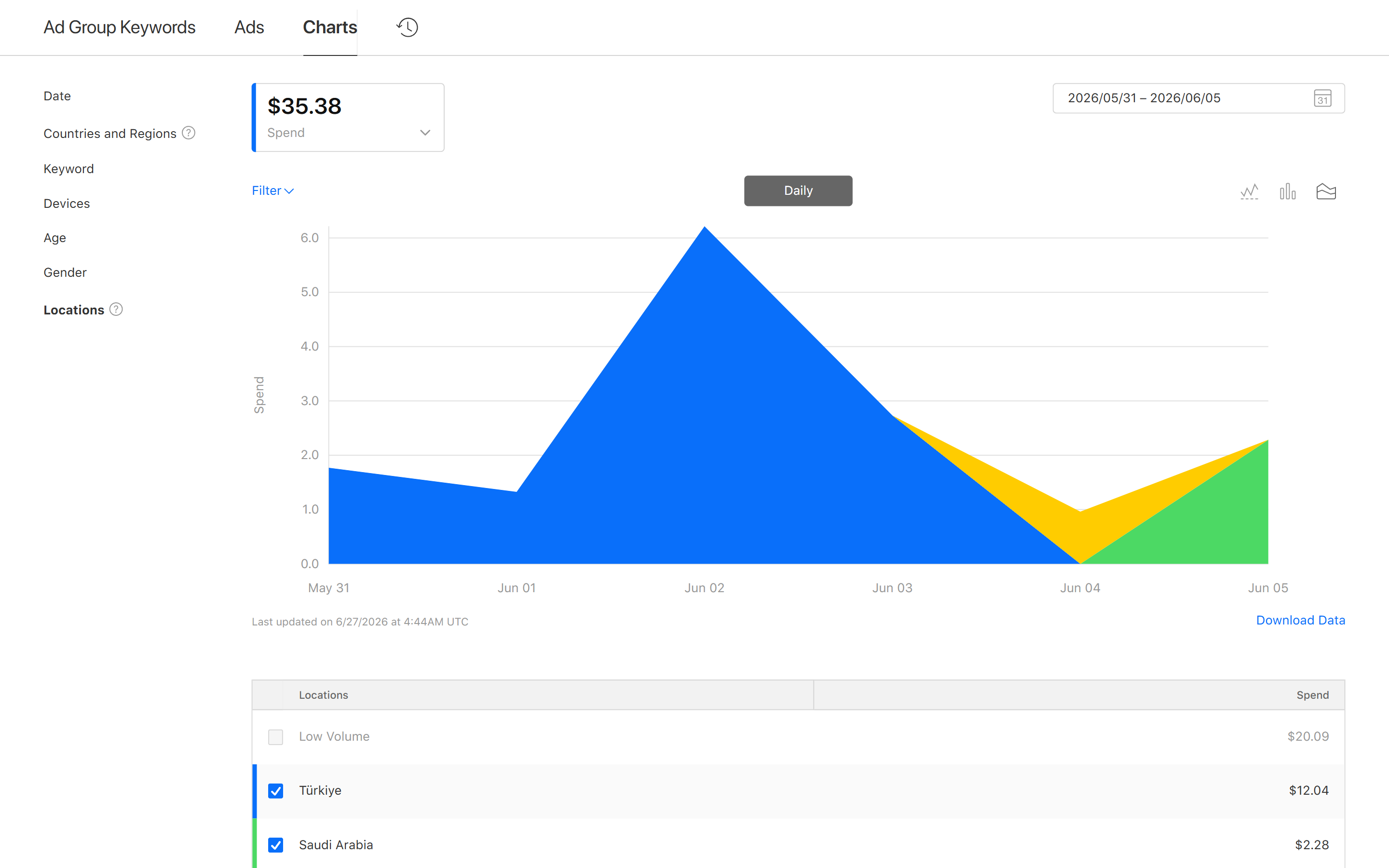
This was the big mistake. The correct approach: each country gets its own campaign, with its own researched bid.
Every country's auction environment is different. The US is competitive — a single tap can cost several dollars. India is much cheaper, but user willingness to pay is correspondingly lower. Put them in the same campaign with one bid, and the algorithm races to the cheapest installs. It's not the algorithm's fault — you didn't give it the right structure.
Once I split campaigns per country, the data cleaned up instantly. US CPA vs Japan CPA vs Taiwan CPA — clear, separate, trackable.
One practical tip: Apple Ads supports bulk campaign management via CSV. You can configure multiple campaigns — keywords, bids, budgets, regions — in a spreadsheet and import at once. For multi-region setups, this is dramatically faster than clicking through the console one at a time. Same philosophy as the CI/CD approach I wrote about in the store listing article — just applied to ad operations.
The Reveal — What $100 Actually Bought
After a few weeks, with the budget nearly drained, I tallied the final numbers.
After filtering out my test accounts and the dev team's devices, here's what it looked like:

The regional variance was dramatic. US and Japan CPAs were noticeably higher, but those users showed better retention and engagement. The low-cost markets had pretty download numbers, but abysmal open rates and near-zero paid conversions.
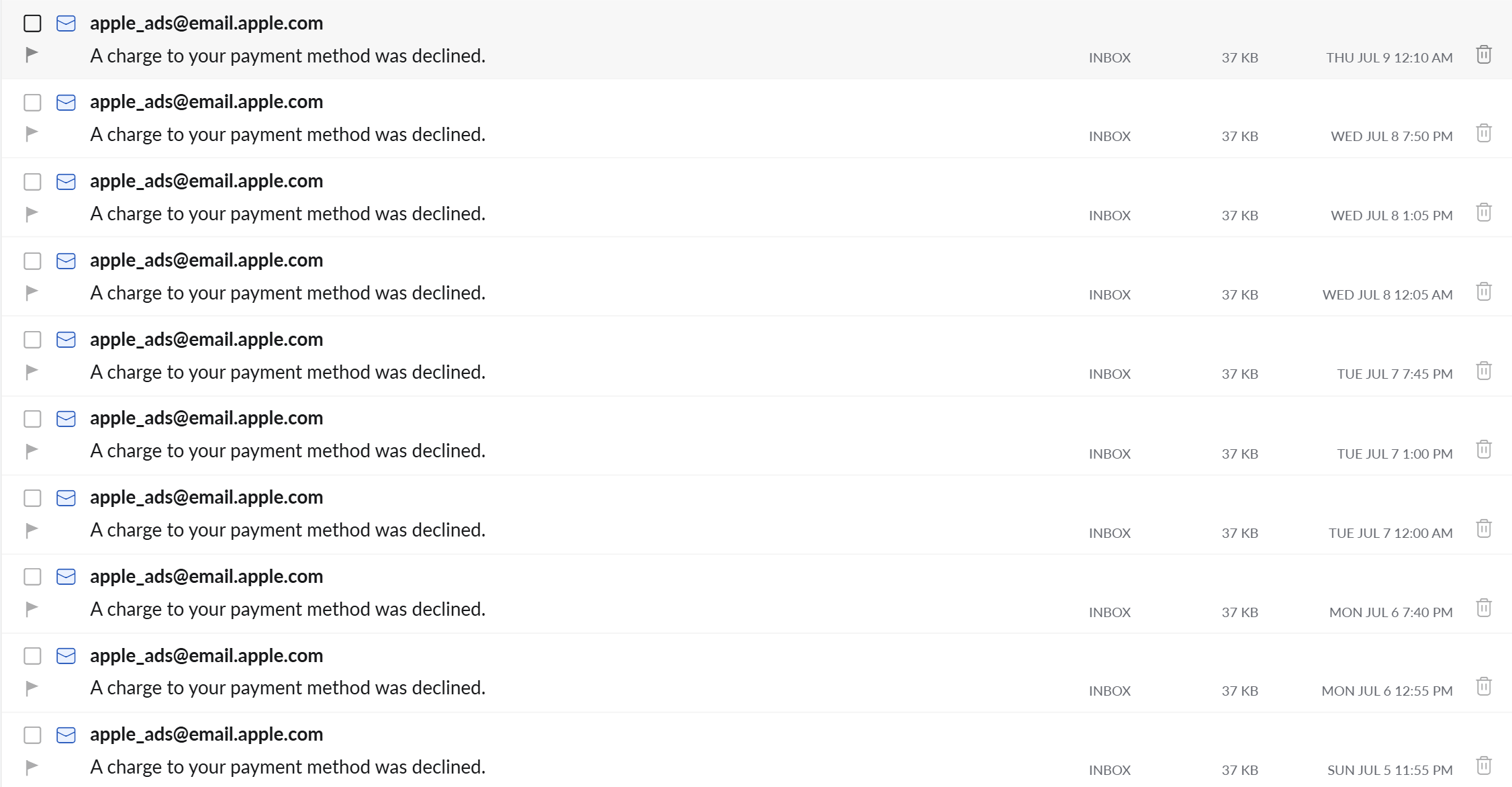
Once the $100 ran out, that was it — Apple's free credit is a fixed amount. Anything beyond it comes out of your own card. After the budget hit zero, downloads gradually declined to near nothing. This confirmed what you'd expect: ad-driven acquisition is instantaneous. Turn it off, it's gone. Unlike ASO or SEO, there's no compounding.
Conclusion
$100. Fifty users. Roughly $2 per download.
Whether that's good depends on your business model and user lifetime value (LTV). If your app is subscription-based and one paying user is worth $50 lifetime, a $2 acquisition cost is fantastic. If you're ad-supported free, $2 per download might take a long time to break even.
I've since tried other acquisition strategies that drove users at lower cost — but that's for another post.